Kali Configuration
At this point, you should have access to your Kali VM. If you don’t, go back and do that. I’ll wait. If you do, then you’re ready to start configuring it.
Some useful Windows configuration options
- Make sure systemd is enabled
-
Enable
kali-rolling, rather thankali-latest-snapshot:foo@bar:~$ sudo sed -i 's/kali-latest-snapshot/kali-rolling/g' /etc/apt/sources.list foo@bar:~$ sudo sed -i 's/http:\/\/http.kali.org/https:\/\/kali.download/g' /etc/apt/sources.list -
If you use ssh on both WSL and Windows, there’s a neat trick to share the same configuration:
foo@bar:~$ echo "C:\Users\<your Windows username>\.ssh\ /home/$(whoami)$/.ssh drvfs rw,noatime,uid=1000,gid=1000,case=off,umask=0077,fmask=0177 0 0" | sudo tee /etc/fstabThe only issue at this point is that if you use
ssh-agent, WSLAF_LOCALsockets can’t be created on a mounteddrvfsfilesystem. To fix this, make suressh-agentis invoked with the-aoption with an alternative path. One way to do this is to use thekeychaintool, with settings like this in~/.zshrc:if [ ! -e ~/.ssh_agent.sock ]; then ssh-agent -a ~/.ssh_agent.sock fi SSH_AUTH_SOCK=~/.ssh_agent.sock; export SSH_AUTH_SOCK; plugins=(git keychain gpg-agent) zstyle :omz:plugins:keychain options --inherit any zstyle :omz:plugins:keychain agents gpg,ssh zstyle :omz:plugins:keychain identities id_ed25519 id_rsa
System configuration
First, let’s configure the repos to use the better official mirror. Run
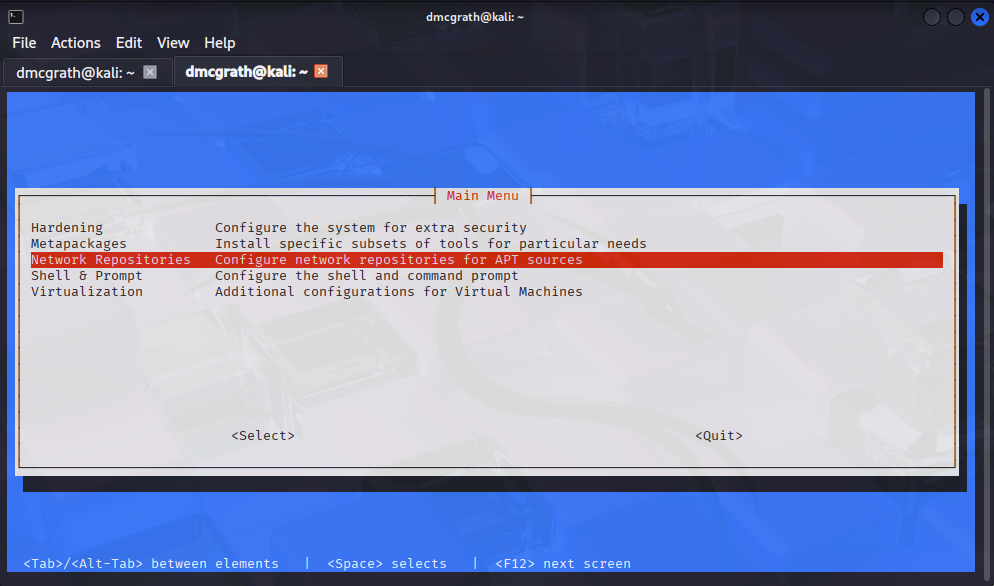
$ sudo kali-tweaks
Then select Network Repositories. This will allow you to select the official Kali repositories, which are much faster than the default ones.
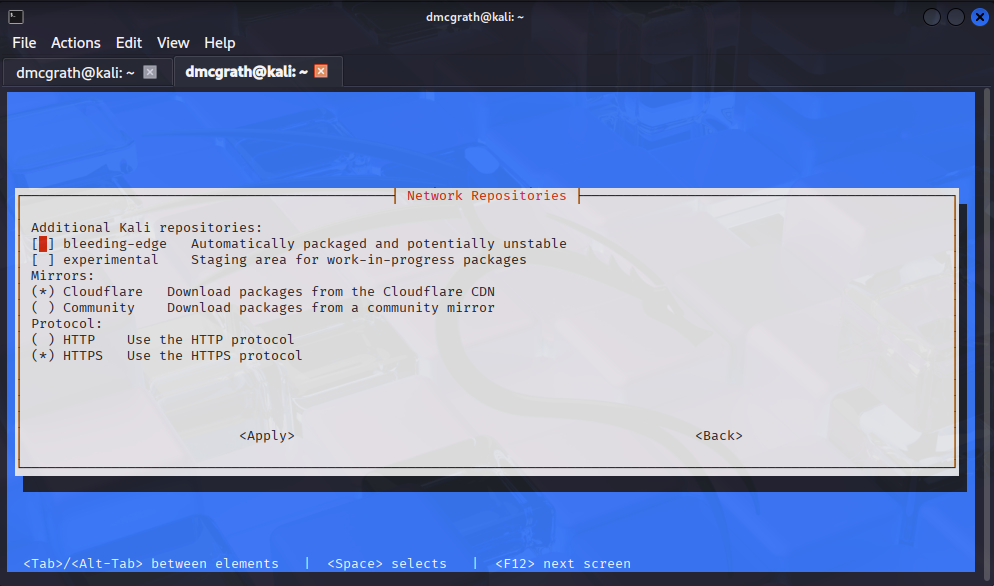
Select the “Cloudflare” mirror, then select “HTTPS” under protocol. Use the space bar to make selections, then use tab to move to the Apply button and hit enter. This will update your /etc/apt/sources.list file to use the new repositories. Go back, then use the Quit option to exit the tool.
Then, let’s make sure it’s up to date:
$ sudo apt update
$ sudo apt upgrade -y
You may have seen these commands before, but if you haven’t, here is what’s happening. apt update pulls down new package index files for any and all repositories that you have defined. If you haven’t added any yet, it will just update the default set. apt upgrade will then upgrade any packages that have updates available. The -y flag tells it to apply the upgrades without awaiting confirmation. This is useful for scripting, but not so much for interactive use. If you want to see what it’s going to do before it does it, just leave off the -y.
Install useful tools
OK, so we’re likely still sitting on a barebones kali install. We should fix that.
There is a script I have provided that will install a bunch of useful tools. You can run it with:
$ curl -LO https://web.cecs.pdx.edu/~dmcgrath/courses/forensics/setup.sh
$ chmod +x setup.sh
$ #edit the script to fill in the missing pieces near the bottom
$ ./setup.sh
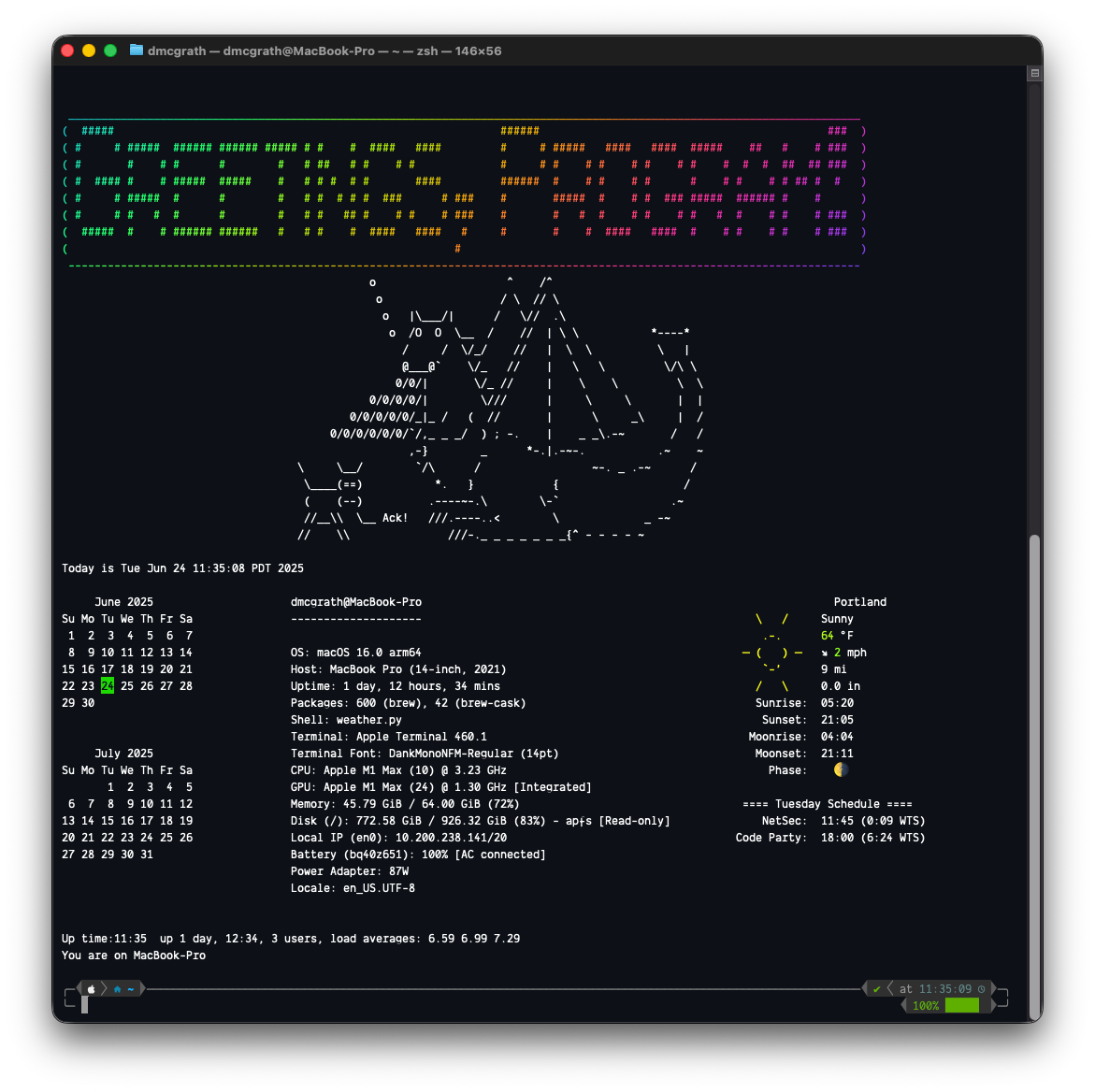
This will take a while, so go get a coffee or something. When it’s done, you should have a bunch of useful tools installed. Reboot your VM to ensure everything is set up correctly, then log back in and launch a terminal. It should look something like this: