Scapy
- Scapy
Introduction
Scapy is a python environment for packet processing. Commonly used as a fuzzing framework (more on that in Module 5), it can also be used as a pcap processing environment, which is what we use it for here.
From the official description:
Scapy is a Python program that enables the user to send, sniff, dissect, and forge network packets. This capability allows construction of tools that can probe, scan, or attack networks.
There are two main modes of use: via the scapy command (which is ipython based), and directly within python. While the former is useful for interactive use, the latter lends itself well to scripting. When I’m working on a new scapy script, I will often use the ipython environment to quickly test layers, then move to writing a script when I have more of a sense of what I’m wanting. This shortens the test iteration cycle (for me).
Because of the power of scapy, and its use of raw sockets, root privileges are required for its use. Raw sockets bypass the kernel’s normal TCP/IP stack and let you read or inject arbitrary packets at the Ethernet/IP layer — the OS restricts this to root because an unprivileged process reading all traffic or forging source addresses is a security risk. As long as we are operating in the virtual environment, this isn’t a problem. At this point, we aren’t sending packets, and so don’t have to worry about which interface, what that will do at the host network level, or interfering with the network on which the host is resident.
I’ve mentioned that sometimes you can’t use nmap due to the well known nature of it – some networks and some devices filter nmap originated packets. In these cases, scapy comes to the rescue! We won’t get to these specific details yet, but keep that in the back of your mind.
Overview of scapy framework
One of the overarching themes of the scapy framework is that it does not apply any preconceptions to the data. In other words, rather than only storing one view of the data, it stores the raw data and allows you to adjust the viewpoint as you desire – all without having to re-run any probe/capture actions. By requiring you, as the developer, to apply any viewpoints or interpretations, scapy allows for the creation of tools the developers had never even considered.
This lack of viewpoint is one of scapy’s greatest strengths. No imposition on the developer means no limitations on the tools one can develop. While this may seem frustrating at first (no viewpoint means very little built in convenience functions), as you gain more experience with scapy and network analysis in general you will find that you have built up a library of functionality that works for your situation. This means writing custom tools is straightforward, rather than having to manipulate the tool in ways for which it was never written.
pcap file interface
For the purposes of this module, one of the most important parts of scapy is the pcap file interface. You can read or write pcap files directly via python function calls, allowing you capture how you like while processing in scapy, or even capture in scapy for later processing (via scapy or otherwise).
-
pcap file reading
rdpcap(): this is the primary way to interface with previously captured packets. It can readpcapfiles (as well aspcapngfiles) generated bytcpdump,wireshark, or eventshark.Simply give it the name and path of the
pcapfile you want to import, and it will create a ‘PacketList’ object for you, which is iterable, printable, and has some pretty slick functionality (such as displaying a graph view of all conversations in the capture). I’d strongly suggest looking at the docs behind the link for more information. -
pcap file writing
-
sniff():sniff()is a function that allows for extensive variety in packet capture. You can use it to replicatetsharkortcpdump, as well as arbitrary different tools for different purposes. Some specific aspects to call out here (see the link for more details and additional options):sniffcan apply a function to each packet (parameterprn) – this can be defined inline as a lambda or externally and passed as a function parameter;sniff, liketcpdumportshark, takes a count (parametercount) which terminates capture after the specified number of packets are received;- parameter
filtertakes a BPF style filter (same aswireshark,tcpdump, andtshark) and only captures packets which match the filter; - parameter
timeoutterminates capture after a given time has passed; - parameter
ifacespecifies the specific interface on which to capture. - asynchronous capture is also possible – this is typically less performant, but allows you to programmatically start and stop capture. This could be useful if user interaction is the preferred way of starting/stopping capture.
-
wrpcap(filename.pcap): once you have aPacketList(however you got it), you can write apcapfile via thewrpcap()function. This will store your intofilename.pcap, which you can then use in your favorite packet flow inspection tool.
-
Example usage for reading a pcap file
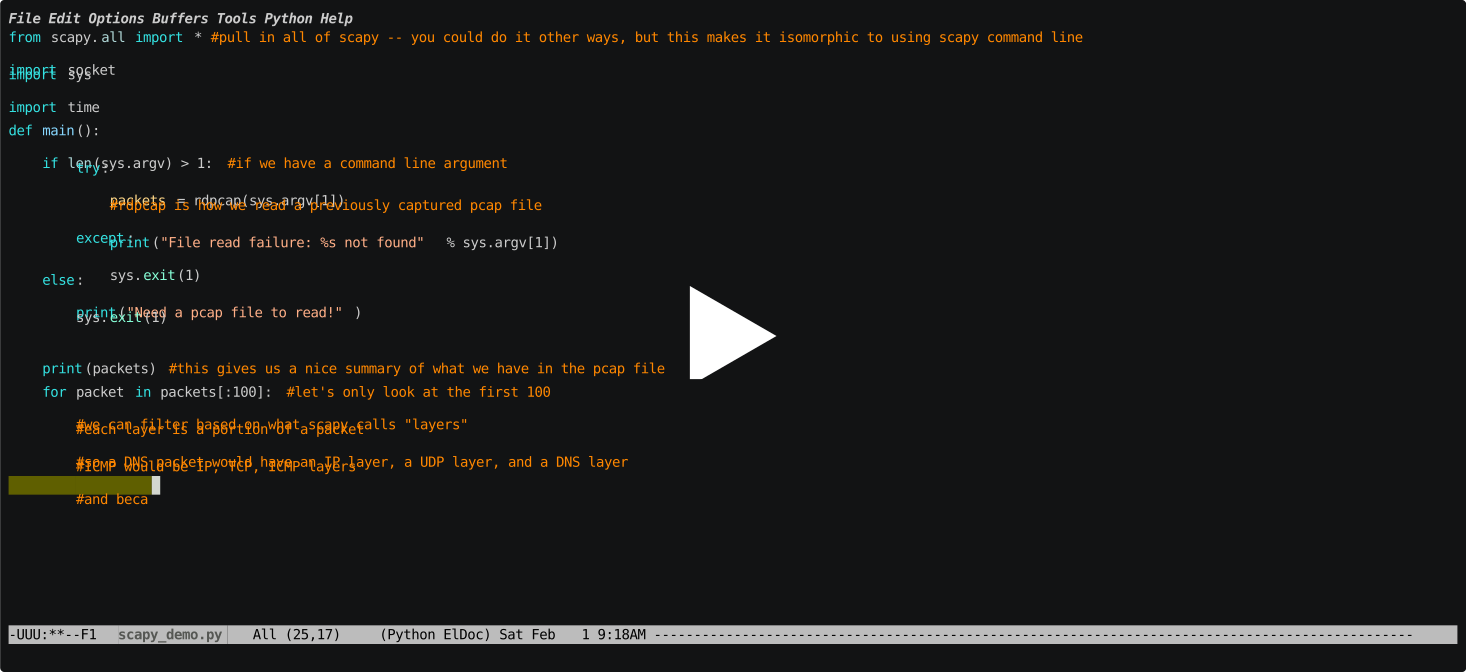
Text transcript: building and running scapy_demo.py</summary>
The recording shows scapy_demo.py being written in Emacs, then run against a pcap file. The final script (reproduced in full below) does the following:
- Reads a pcap file passed as a command-line argument using
rdpcap(sys.argv[1]), which returns a PacketList.
- Prints a summary of the entire capture with
print(packets), showing packet count and protocol distribution.
- Iterates the first 100 packets with a
for loop.
- Filters out DNS packets using
packet.haslayer(DNS) — DNS packets are skipped entirely.
- Displays each remaining packet with
packet.show() (full field-by-field breakdown) and packet.summary() (single-line tcpdump-style summary).
- Pauses 0.2 seconds between packets with
time.sleep(0.2) so output is readable.
The complete script is shown in Example script developed above.
</details>
Example script developed above
from scapy.all import * #pull in all of scapy -- you could do it other ways, but this makes it isomorphic to using scapy command line
import socket
import sys
import time

def main():
	if len(sys.argv) > 1: #if we have a command line argument
		try:
			packets = rdpcap(sys.argv[1])
			#rdpcap is how we read a previously captured pcap file
		except:
			print("File read failure: %s not found" % sys.argv[1])
			sys.exit(1)
	else:
		print("Need a pcap file to read!")
		sys.exit(1)

	print(packets) #this gives us a nice summary of what we have in the pcap file

	for packet in packets[:100]: #let's only look at the first 100
		#we can filter based on what scapy calls "layers"
		#each layer is a portion of a packet
		#so a DNS packet would have an IP layer, a UDP layer, and a DNS layer
		#ICMP would be IP, ICMP layers
		#and because we're on an ethernet network, all of the above also has an ether layer
		#let's not print DNS packets
		if not packet.haslayer(DNS):
			packet.show() #print the contents of the packet
			print(packet.summary()) #we also can print out a summary of the packet, similar to tcpdump default output
			time.sleep(0.2) #small pause between packets


if __name__ == '__main__':
	main()
Layer Management
Scapy models packets as a stack of layers, each representing one protocol header. Layers are composed with the / operator, and each layer knows how to encode and decode its own fields. Understanding how to build, inspect, and modify layers is the core of working with Scapy.
Building Packets
Layers are instantiated as Python objects and stacked with /:
from scapy.all import *

# Ethernet / IP / TCP
pkt = Ether() / IP(dst="10.0.0.1") / TCP(dport=80, flags="S")

# Ethernet / IP / UDP / DNS query
dns_pkt = Ether() / IP(dst="8.8.8.8") / UDP(dport=53) / DNS(rd=1, qd=DNSQR(qname="example.com"))

# Raw payload on top of TCP
pkt = IP(dst="10.0.0.1") / TCP(dport=80) / Raw(load=b"GET / HTTP/1.0\r\n\r\n")
Fields left unspecified are filled in automatically: Scapy computes checksums, lengths, and protocol numbers for you when the packet is sent or displayed.
Inspecting Layers
pkt = IP(dst="10.0.0.1") / TCP(dport=443, flags="S") / Raw(load=b"hello")

# Show all layers and fields
pkt.show()

# One-line summary
pkt.summary()

# Check if a layer is present
pkt.haslayer(TCP)      # True
pkt.haslayer(UDP)      # False

# Get a layer by type (returns the layer object, or None)
tcp_layer = pkt[TCP]
ip_layer  = pkt[IP]

# Access fields directly
print(pkt[IP].dst)     # '10.0.0.1'
print(pkt[TCP].dport)  # 443
print(pkt[TCP].flags)  # <Flag 2 (SYN)>
Modifying Layers
Layers are mutable — fields can be set after construction:
pkt = IP() / TCP()

pkt[IP].dst   = "192.168.1.1"
pkt[TCP].dport = 8080
pkt[TCP].flags = "SA"   # SYN-ACK

# Delete a computed field so Scapy recalculates it
del pkt[IP].chksum
del pkt[TCP].chksum
Layer Hierarchy and payload / underlayer
Each layer holds a reference to the next (payload) and previous (underlayer) layer:
pkt = Ether() / IP() / TCP() / Raw(b"data")

pkt.payload            # IP layer
pkt.payload.payload    # TCP layer
pkt[TCP].underlayer    # IP layer

# Iterate over all layers
layer = pkt
while layer:
    print(layer.name)
    layer = layer.payload if layer.payload else None
Filtering Packets by Layer
When working with a PacketList from rdpcap(), filter by layer to focus on specific traffic:
packets = rdpcap("capture.pcap")

tcp_packets  = [p for p in packets if p.haslayer(TCP)]
dns_packets  = [p for p in packets if p.haslayer(DNS)]
http_packets = [p for p in packets if p.haslayer(TCP) and p[TCP].dport == 80]

# Packets with a specific flag set (SYN only)
syn_packets  = [p for p in packets if p.haslayer(TCP) and p[TCP].flags == "S"]

# Extract all DNS query names
queries = [p[DNS].qd.qname for p in dns_packets if p[DNS].qd]
Adding and Removing Layers
pkt = IP(dst="10.0.0.1") / TCP(dport=80)

# Add a layer on top
pkt = pkt / Raw(load=b"GET / HTTP/1.0\r\n\r\n")

# Remove the outermost layer (strip Ethernet header)
if pkt.haslayer(Ether):
    pkt = pkt[Ether].payload   # now starts at IP

# Get just the raw bytes of a layer
raw_ip = bytes(pkt[IP])
Crafting with Specific Field Values
Most Scapy layer constructors accept field values as keyword arguments. Common fields:
# IP
IP(src="1.2.3.4", dst="5.6.7.8", ttl=64, proto=6)

# TCP flags: S=SYN, A=ACK, F=FIN, R=RST, P=PSH, U=URG
TCP(sport=12345, dport=80, seq=1000, ack=0, flags="S", window=65535)

# UDP
UDP(sport=54321, dport=53)

# ICMP
ICMP(type=8, code=0)   # echo request (ping)

# DNS query
DNS(rd=1, qd=DNSQR(qname="example.com", qtype="A"))

# ARP request
ARP(op="who-has", pdst="192.168.1.1", psrc="192.168.1.100")
Sending and Receiving
# Layer 3 send (Scapy fills Ethernet header)
send(IP(dst="10.0.0.1") / ICMP())

# Layer 2 send (you control everything)
sendp(Ether(dst="ff:ff:ff:ff:ff:ff") / ARP(pdst="192.168.1.1"))

# Send and receive one response (Layer 3)
ans, unans = sr(IP(dst="10.0.0.1") / ICMP(), timeout=2)

# Send and receive one response (Layer 2)
ans, unans = srp(Ether() / ARP(pdst="192.168.1.1"), timeout=2)

# Access response
for sent, received in ans:
    print(received.summary())
Examining Layer Fields with ls()
ls() lists all fields for a layer type along with their defaults and types — useful for discovering what’s available:
ls(IP)
ls(TCP)
ls(DNS)
Key takeaways
- Scapy is a Python packet toolkit — send, sniff, dissect, and forge packets — usable interactively (the
ipython-based scapy shell) or as scripts. It needs root because it uses raw sockets.
- Its defining trait is no imposed viewpoint: it keeps the raw data and lets you interpret it however you like, so you can build tools the authors never anticipated — at the cost of few built-in conveniences.
- For this module the key interface is pcap I/O:
rdpcap() reads pcap/pcapng from tcpdump/Wireshark/tshark, sniff() captures (with prn, count, filter, timeout, iface), and wrpcap() writes.
- Packets are a stack of layers composed with
/; inspect with .show()/.summary()/ls(), test with haslayer(), index by type (pkt[TCP]), and let Scapy recompute lengths/checksums by del-ing those fields.
- When
nmap is fingerprinted or filtered, hand-crafted Scapy packets can get through — the same property that makes it a capable fuzzing framework.
Additional Resources
- Scapy usage including reading/writing pcap files (in case you didn’t click any of the other links in the page): Scapy General Documentation
- SANS Scapy cheat sheet – this is a great resource for scapy, and I’d suggest you keep it handy
References
- Scapy documentation — usage guide. https://scapy.readthedocs.io/en/latest/usage.html
- Scapy API —
rdpcap / wrpcap / sniff. https://scapy.readthedocs.io/en/latest/api/scapy.utils.html
- SANS — Scapy cheat sheet. https://www.sans.org/blog/sans-pen-test-cheat-sheet-scapy/
Related course pages: Pcap analysis and manipulation tools · tshark on the command line · Capturing network traffic
🛠️ Maintenance note: Scapy’s API is stable but evolves — the scapy interactive shell, layer/field names, and sniff() parameters can change between releases, and flags representations differ across versions. Re-check the linked docs and confirm the asciinema cast still plays each term.
scapy_demo.py being written in Emacs, then run against a pcap file. The final script (reproduced in full below) does the following:rdpcap(sys.argv[1]), which returns a PacketList.print(packets), showing packet count and protocol distribution.for loop.packet.haslayer(DNS) — DNS packets are skipped entirely.packet.show() (full field-by-field breakdown) and packet.summary() (single-line tcpdump-style summary).time.sleep(0.2) so output is readable.from scapy.all import * #pull in all of scapy -- you could do it other ways, but this makes it isomorphic to using scapy command line
import socket
import sys
import time
def main():
if len(sys.argv) > 1: #if we have a command line argument
try:
packets = rdpcap(sys.argv[1])
#rdpcap is how we read a previously captured pcap file
except:
print("File read failure: %s not found" % sys.argv[1])
sys.exit(1)
else:
print("Need a pcap file to read!")
sys.exit(1)
print(packets) #this gives us a nice summary of what we have in the pcap file
for packet in packets[:100]: #let's only look at the first 100
#we can filter based on what scapy calls "layers"
#each layer is a portion of a packet
#so a DNS packet would have an IP layer, a UDP layer, and a DNS layer
#ICMP would be IP, ICMP layers
#and because we're on an ethernet network, all of the above also has an ether layer
#let's not print DNS packets
if not packet.haslayer(DNS):
packet.show() #print the contents of the packet
print(packet.summary()) #we also can print out a summary of the packet, similar to tcpdump default output
time.sleep(0.2) #small pause between packets
if __name__ == '__main__':
main()
/ operator, and each layer knows how to encode and decode its own fields. Understanding how to build, inspect, and modify layers is the core of working with Scapy./:from scapy.all import *
# Ethernet / IP / TCP
pkt = Ether() / IP(dst="10.0.0.1") / TCP(dport=80, flags="S")
# Ethernet / IP / UDP / DNS query
dns_pkt = Ether() / IP(dst="8.8.8.8") / UDP(dport=53) / DNS(rd=1, qd=DNSQR(qname="example.com"))
# Raw payload on top of TCP
pkt = IP(dst="10.0.0.1") / TCP(dport=80) / Raw(load=b"GET / HTTP/1.0\r\n\r\n")
pkt = IP(dst="10.0.0.1") / TCP(dport=443, flags="S") / Raw(load=b"hello")
# Show all layers and fields
pkt.show()
# One-line summary
pkt.summary()
# Check if a layer is present
pkt.haslayer(TCP) # True
pkt.haslayer(UDP) # False
# Get a layer by type (returns the layer object, or None)
tcp_layer = pkt[TCP]
ip_layer = pkt[IP]
# Access fields directly
print(pkt[IP].dst) # '10.0.0.1'
print(pkt[TCP].dport) # 443
print(pkt[TCP].flags) # <Flag 2 (SYN)>
pkt = IP() / TCP()
pkt[IP].dst = "192.168.1.1"
pkt[TCP].dport = 8080
pkt[TCP].flags = "SA" # SYN-ACK
# Delete a computed field so Scapy recalculates it
del pkt[IP].chksum
del pkt[TCP].chksum
payload / underlayerpayload) and previous (underlayer) layer:pkt = Ether() / IP() / TCP() / Raw(b"data")
pkt.payload # IP layer
pkt.payload.payload # TCP layer
pkt[TCP].underlayer # IP layer
# Iterate over all layers
layer = pkt
while layer:
print(layer.name)
layer = layer.payload if layer.payload else None
PacketList from rdpcap(), filter by layer to focus on specific traffic:packets = rdpcap("capture.pcap")
tcp_packets = [p for p in packets if p.haslayer(TCP)]
dns_packets = [p for p in packets if p.haslayer(DNS)]
http_packets = [p for p in packets if p.haslayer(TCP) and p[TCP].dport == 80]
# Packets with a specific flag set (SYN only)
syn_packets = [p for p in packets if p.haslayer(TCP) and p[TCP].flags == "S"]
# Extract all DNS query names
queries = [p[DNS].qd.qname for p in dns_packets if p[DNS].qd]
pkt = IP(dst="10.0.0.1") / TCP(dport=80)
# Add a layer on top
pkt = pkt / Raw(load=b"GET / HTTP/1.0\r\n\r\n")
# Remove the outermost layer (strip Ethernet header)
if pkt.haslayer(Ether):
pkt = pkt[Ether].payload # now starts at IP
# Get just the raw bytes of a layer
raw_ip = bytes(pkt[IP])
# IP
IP(src="1.2.3.4", dst="5.6.7.8", ttl=64, proto=6)
# TCP flags: S=SYN, A=ACK, F=FIN, R=RST, P=PSH, U=URG
TCP(sport=12345, dport=80, seq=1000, ack=0, flags="S", window=65535)
# UDP
UDP(sport=54321, dport=53)
# ICMP
ICMP(type=8, code=0) # echo request (ping)
# DNS query
DNS(rd=1, qd=DNSQR(qname="example.com", qtype="A"))
# ARP request
ARP(op="who-has", pdst="192.168.1.1", psrc="192.168.1.100")
# Layer 3 send (Scapy fills Ethernet header)
send(IP(dst="10.0.0.1") / ICMP())
# Layer 2 send (you control everything)
sendp(Ether(dst="ff:ff:ff:ff:ff:ff") / ARP(pdst="192.168.1.1"))
# Send and receive one response (Layer 3)
ans, unans = sr(IP(dst="10.0.0.1") / ICMP(), timeout=2)
# Send and receive one response (Layer 2)
ans, unans = srp(Ether() / ARP(pdst="192.168.1.1"), timeout=2)
# Access response
for sent, received in ans:
print(received.summary())
ls()ls() lists all fields for a layer type along with their defaults and types — useful for discovering what’s available:ls(IP)
ls(TCP)
ls(DNS)
ipython-based scapy shell) or as scripts. It needs root because it uses raw sockets.rdpcap() reads pcap/pcapng from tcpdump/Wireshark/tshark, sniff() captures (with prn, count, filter, timeout, iface), and wrpcap() writes./; inspect with .show()/.summary()/ls(), test with haslayer(), index by type (pkt[TCP]), and let Scapy recompute lengths/checksums by del-ing those fields.nmap is fingerprinted or filtered, hand-crafted Scapy packets can get through — the same property that makes it a capable fuzzing framework.rdpcap / wrpcap / sniff. https://scapy.readthedocs.io/en/latest/api/scapy.utils.html🛠️ Maintenance note: Scapy’s API is stable but evolves — the scapy interactive shell, layer/field names, and sniff() parameters can change between releases, and flags representations differ across versions. Re-check the linked docs and confirm the asciinema cast still plays each term.