Homework 1
Due Date: 2026-07-06 23:59:59
Introduction
This homework is intended for you to provide verification of a functional virtual machine. You will be using this environment for the rest of the term. In theory, you have already completed nearly all of this. However, I want to make sure that you have a working environment before we get too far into the term.
All work will be submitted via MarkDown documents within a gitlab repo. You will be using this repo for the rest of the term. This repo exists on the CECS intranet.
If you aren’t familiar with how to use git, please see the git page for some basic instructions. If you’re not familiar with markdown, please see the technical writing page for some basic instructions.
Tasks
- Create a private GitLab repo called
introsec-su26-<CECS>(replace <CECS> with your actual MCECS username) and clone it to your local machine. You will be using this repo for the rest of the term. This repo exists on the CECS intranet, and uses your CECS credentials for authentication. - Add
dmcgrathas a member (developer or higher) of your repo. This will allow us to view your repo and provide feedback. - Create a folder within the repo called
hw1. This is where you will add documentation regarding this assignment. - Now that you have your repo set up, we’ll be turning to the VM. Follow one of the macOS or Windows instructions to get a VM setup and configured. I would suggest you document everything you did in a markdown file in your repo called
hw1.md. And by suggest I mean require. I’m just being nice about it. - Take a screenshot of the Kali VM with the output of the command
ip a sshowing. Add this to your repo and include it in yourhw1.mdfile. - Follow the instructions on this git repo page to configure the Kali VM. Document this in your
hw1.mdfile. - Include a screenshot of the shell immediately after ssh login (or opening the terminal emulator if you’re using the GUI) showing the successful application of the required environment. Instructions on how to apply said environment are in the repo’s README.md.
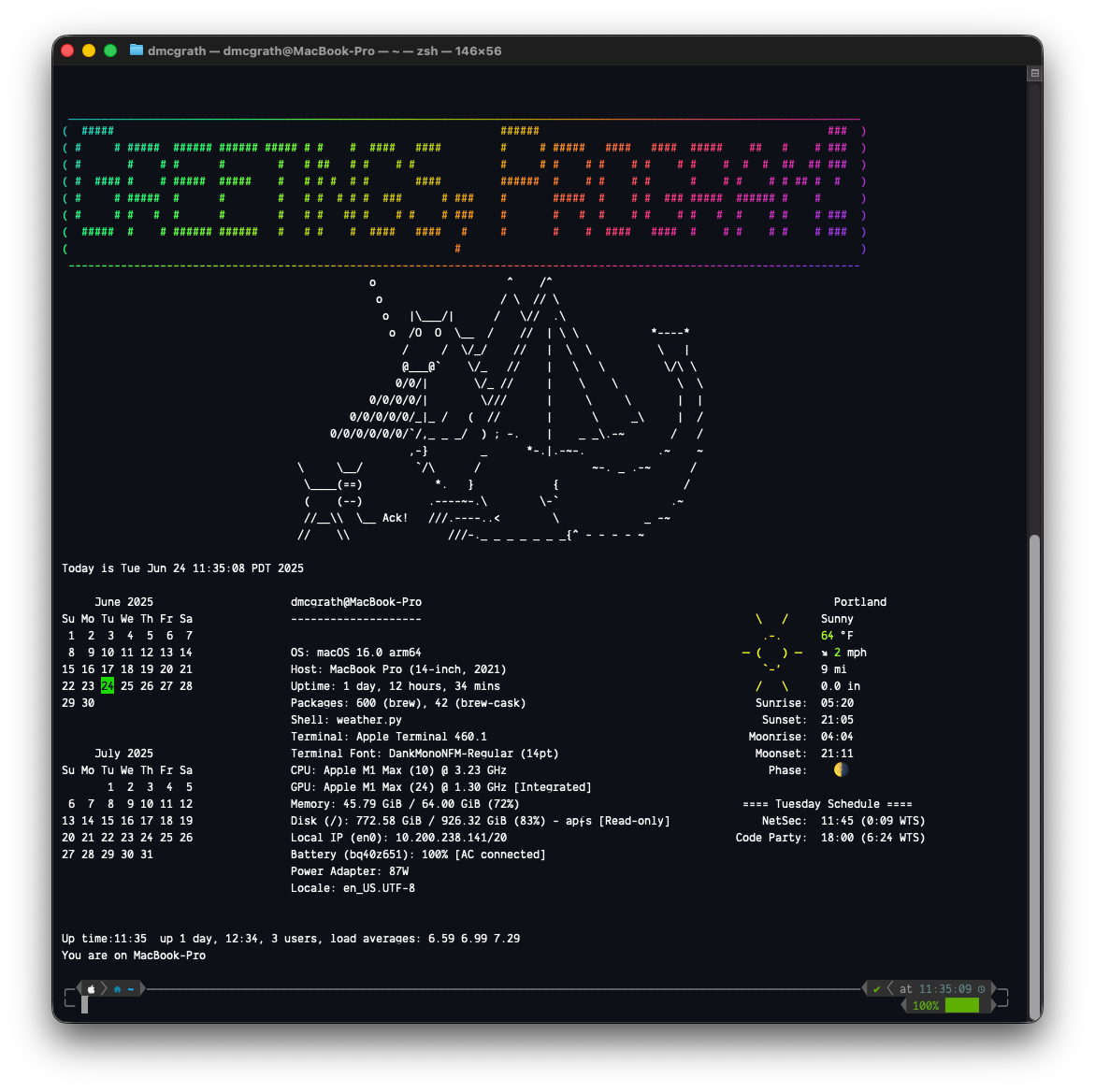
-
HackTheBox is a widely-used security training site that focuses on developing practical, hands-on skills for its users. The site is organized in “modules” that contain lab content for users to complete to obtain (eventual) certificates. We will be using several of the site’s free modules as part of the course.
Visit the site at https://academy.hackthebox.com/ and create an account. If you find the exercises useful, consider a subscription to the site to continue your development after the course. There is student pricing, which is significantly discounted (~80% relative to the annual, and closer to )
-
Throughout the course, we will be using the modules on HTB Academy. The modules we use are well within the free cube allocation, as long as you complete the rooms.
-
Join the following room on HackTheBox: Introduction to Information Security. The room covers the fundamental security principles, terminology, access control models, and threat models. Complete the exercise.
Take a screenshot showing completion of the room (e.g. all tasks and 100% completion) with your OdinID for your first lab notebook.
Submission
Once you have completed the above, you should have a markdown file in your repo called hw1/hw1.md that contains all the requested information. Commit and push this to your repo. Also commit and include the requested screenshots. Once you have done this, you can consider the assignment submitted.